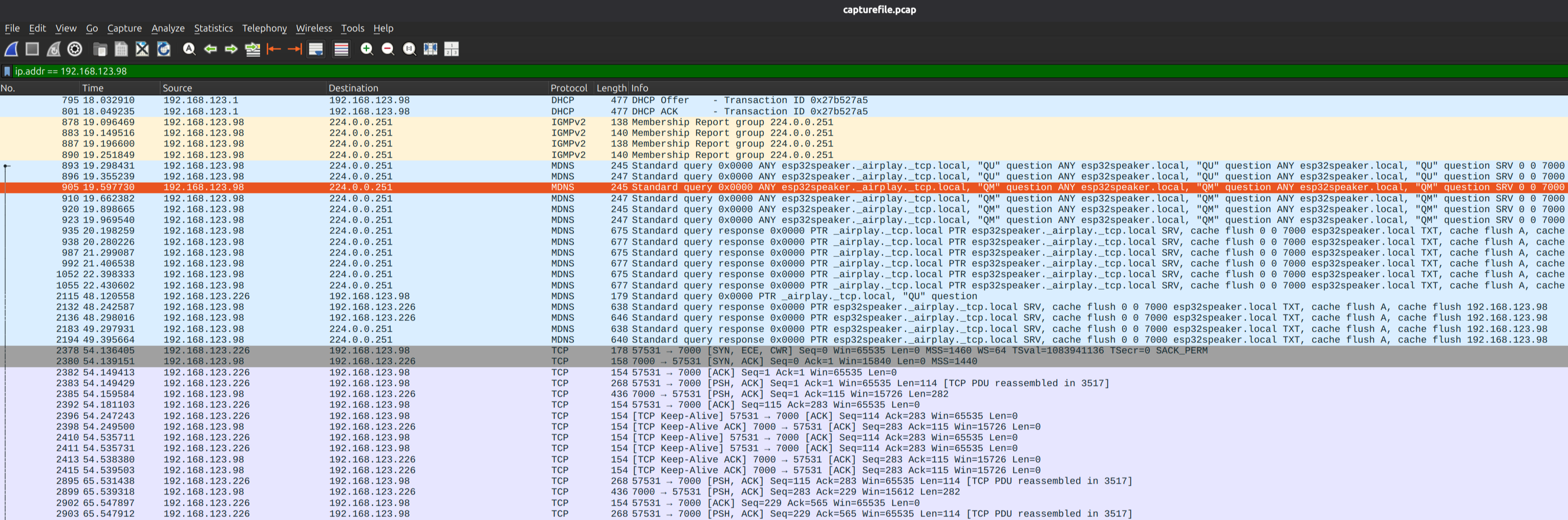
无线网卡进入监听模式可以捕捉周围所有的无线数据包, 这样两个设备比如两个esp32之间的通信就可以在pc上抓包分析。

  1. 确认网卡是否支持监听模式(monitor mode)
 1
 2
 3
 4
 5
 6
 7
 8
 9
10
11
12
13
14
15
16
17
18
19
20
21
22
23
24
25
26
27
28
29
30
31
32
33
34
~$ iw list
Wiphy phy0
	wiphy index: 0
	max # scan SSIDs: 20
	max scan IEs length: 356 bytes
	max # sched scan SSIDs: 20
	max # match sets: 8
	Retry short limit: 7
	Retry long limit: 4
	Coverage class: 0 (up to 0m)
	Device supports RSN-IBSS.
	Device supports AP-side u-APSD.
	Device supports T-DLS.
	Supported Ciphers:
		* WEP40 (00-0f-ac:1)
		* WEP104 (00-0f-ac:5)
		* TKIP (00-0f-ac:2)
		* CCMP-128 (00-0f-ac:4)
		* GCMP-128 (00-0f-ac:8)
		* GCMP-256 (00-0f-ac:9)
		* CMAC (00-0f-ac:6)
		* GMAC-128 (00-0f-ac:11)
		* GMAC-256 (00-0f-ac:12)
	Available Antennas: TX 0x3 RX 0x3
	Configured Antennas: TX 0x3 RX 0x3
	Supported interface modes:
		 * IBSS
		 * managed
		 * AP
		 * AP/VLAN
		 * monitor
		 * P2P-client
		 * P2P-GO
		 * P2P-device

Supported interface mode 里有monitor就是支持

  1. 查看网卡名称
    1
    2
    3
    
    ip link show
    或者
    ip a
    

一般wl开头(wlan0, wlp2s0, wlo1)就是无线网卡。以下的wlo1需要替换成实际的网卡名称。

  1. 关闭无线网卡

    1
    
    sudo ifconfig wlo1 down
    
  2. 创建监听接口

    1
    
    sudo iw wlo1 interface add mon0 type monitor
    
  3. 启动监听接口

    1
    
    sudo ifconfig mon0 up
    

    如果报错 “SIOCSIFFLAGS: Operation not possible due to RF-kill”

    1
    
    sudo rfkill unblock wifi
    
  4. 设置监听频道

    1
    
    sudo iw dev mon0 set channel 6
    

    具体使用的频道可以到路由器管理页面查看。

  5. 查看网卡监听状态

    1
    
    iw dev
    
  6. 抓包

    1
    
    sudo tcpdump -i mon0 -nn -s0 -w capturefile.pcap
    

    解密需要设备连接wifi时的EAPOL握手数据包,所以抓包过程中须要把设备重连下wifi。

  7. wireshark 设置

    菜单栏 Edit -> Preferences
    下拉Protocols里找到IEEE 802.11, 勾选 Enable Decryption
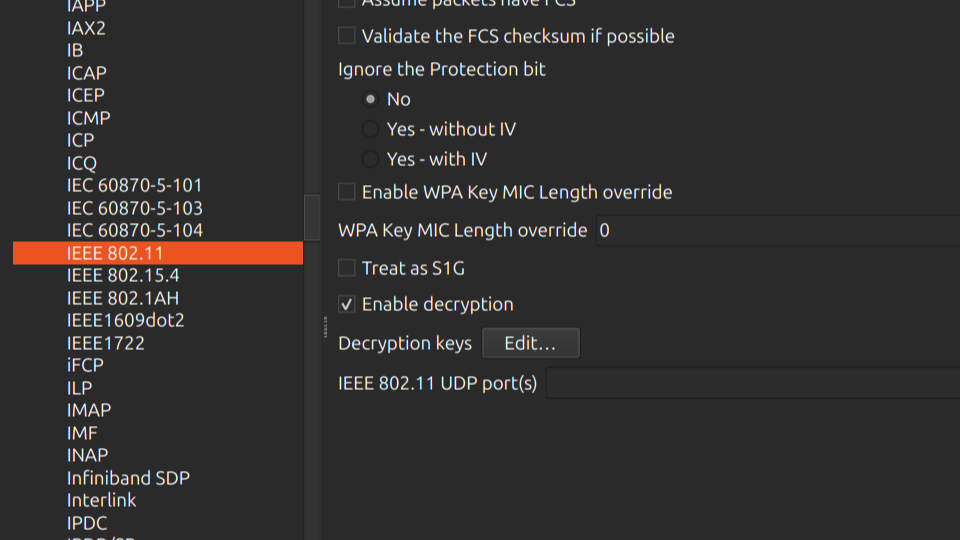
    Enable Decryption

    点击Decryption keys 后的Edit。

    在弹出对话框里添加一条新key。

    最简单的 wpa-pwd,知道wiifi ssid和密码就可以,格式:

    1
    
    PASSWORD:SSID
    

    保存后,打开刚才抓的数据包应该可以正常解码了。

    wireshark